1. Introduction
This document outlines a project to fabricate a 3D-printed version of the prominent letters from the JDRF (Juvenile Diabetes Research Foundation) logo. The core objective is to demonstrate a reproducible pipeline for converting sparse 2D images—those with limited internal complexity—into tangible 3D objects. The methodology leverages Mathematica for image processing and height-field generation, culminating in the creation of a standard Stereolithography (.stl) file ready for 3D printing. This paper assumes reader familiarity with fundamental 3D printing concepts.
2. The JDRF Logo & Project Rationale
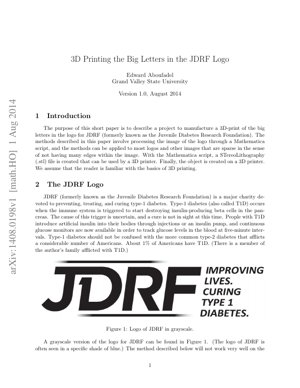
JDRF is a leading charity focused on type-1 diabetes (T1D) research. The project utilizes a grayscale version of its logo. The "JDRF" lettering was selected as the target for 3D printing due to its sparse, clean-edged nature, which is well-suited for the described height-mapping technique. The smaller tagline text ("Improving Lives. Curing Type 1 Diabetes") and gradient lines above and below the letters present specific challenges for small-scale printing, which the method addresses through defined logic.
Project Scope
Target: "JDRF" letters from the logo.
Final Print Dimensions: 80mm (W) x 28mm (D) x 5.2mm (H).
Key Challenge: Handling grayscale gradients for dimensional variation.
3. Mathematica Code & Methodology
The process is automated via a Mathematica script, adapted from prior student research. The pipeline converts pixel intensity into a physical height map.
3.1. Image Import and Preprocessing
The image is loaded and converted to a grayscale matrix. This ensures a single intensity value (between 0 and 1) per pixel, even if the source is a color image.
input = Import["C:\\data\\3d\\JDRF.jpg"];
image = ColorConvert[Image[input, "Real"], "Grayscale"];
3.2. Height Mapping Function
A piecewise function bound[x_] maps pixel intensity x to a preliminary height value:
- Background (x > 0.9): Assigned a low height (0.3).
- Letter Interior (x < 0.25): Assigned the maximum height (1.3).
- Gradient Region (0.25 ≤ x ≤ 0.9): Height varies linearly:
-0.5*x + 1.3.
These values are later scaled by a factor of 4.
3.3. Data Matrix Generation and STL Export
The function is applied to every pixel in the image matrix. The resulting data array is padded and then used to generate a 3D graphic with specified real-world dimensions (80x28 mm). This graphic is finally exported as an .stl file.
data = ArrayPad[Table[4*bound[ImageData[image][[i, j]]], ...], {1, 1}, 0];
Export["JDRF_print.stl", ListPlot3D[data, DataRange -> {{0, 80}, {0, 28}}]];
4. Technical Details & Mathematical Framework
The core of the method is a discretized height field $z = f(I(x, y))$, where $I(x,y)$ is the grayscale intensity at pixel coordinates $(x, y)$. The function $f$ is defined piecewise:
$ f(I) = \begin{cases} h_{bg} & \text{if } I > T_{high} \quad \text{(Background)} \\ h_{max} & \text{if } I < T_{low} \quad \text{(Foreground/Object)} \\ m \cdot I + c & \text{otherwise} \quad \text{(Gradient Transition)} \end{cases} $
Where $T_{high}=0.9$, $T_{low}=0.25$, $h_{bg}=0.3$, $h_{max}=1.3$, $m = -0.5$, and $c = 1.3$ in the implemented script. The final height is $4 \cdot f(I)$.
5. Results & Output Description
The successful execution of the script produces an .stl file representing a 3D model. The model features:
- Raised Letters: The "JDRF" text stands 5.2 mm tall.
- Textured Base: The background plateau is 1.2 mm high.
- Sloped Gradients: The grey gradient lines translate into smooth ramps connecting the letter height to the background height.
This .stl file is universally compatible with 3D printing slicer software (e.g., Ultimaker Cura, PrusaSlicer) for generating G-code and subsequent physical fabrication.
6. Analysis Framework: A Non-Code Case Study
Consider applying this framework to a university crest for a commemorative plaque.
- Input Analysis: The crest contains solid emblem areas (suitable for max height), a textured shield background (suitable for a mid-range constant height or noise), and fine motto text (may need to be omitted or heavily thickened for printability).
- Function Design: Define thresholds: $T_{low}$ for the solid emblem, $T_{high}$ for the empty background. The textured shield area, with intensities between thresholds, could be mapped to a fixed intermediate height or a simple function like $f(I) = 0.5$.
- Output Validation: The generated 3D preview must be checked for structural integrity (e.g., unsupported overhangs from steep slopes) and minimum feature size (the motto text).
This logical framework—Analyze, Map, Validate—is applicable to any sparse image without writing new code, by simply adjusting the parameters in the piecewise function.
7. Industry Analyst's Perspective
Core Insight: This paper is less about groundbreaking AI and more about pragmatic digitization. It showcases how accessible computational tools (Mathematica) can bridge the gap between 2D digital assets and 3D physical reality, democratizing a niche aspect of manufacturing for non-specialists. Its real value is in the clear, parameterized workflow.
Logical Flow: The logic is admirably linear: Image → Grayscale Matrix → Height Map → 3D Mesh → Physical Print. It follows the classic CAD process but automates the initial modeling step based on image data, similar in concept to early height-field terrain generation in computer graphics.
Strengths & Flaws: The strength is undeniable simplicity and reproducibility for a specific class of "sparse" images. However, the flaw is its brittleness. It's a bespoke script, not a robust application. It fails on complex images (e.g., photographs) where simple intensity thresholds don't separate objects. It lacks modern image segmentation techniques—contrast this with deep learning-based approaches like those using U-Net architectures (Ronneberger et al., 2015) for precise object isolation, which would be necessary for detailed logos. The manual threshold tuning ($0.25$, $0.9$) is a major limitation, requiring user trial-and-error.
Actionable Insights: For researchers or makers, this is a perfect template to build upon. The immediate next step is to replace the fixed thresholds with adaptive ones (e.g., Otsu's method). The bigger opportunity is to integrate this script as a front-end module within a larger, user-friendly application that includes image pre-processing (segmentation, vectorization) and printability analysis. Partnering with or studying platforms like Adobe Substance 3D or Blender's texture-to-mesh workflows reveals the industry direction: cloud-based, AI-assisted, and integrated with broader design ecosystems.
8. Future Applications & Directions
- Accessibility & Education: Creating tactile learning aids, like 3D-printed maps, graphs, or diagrams for visually impaired students, by converting visual information into height fields.
- Customized Branding & Merchandise: Automating the creation of custom logo keychains, awards, or architectural signage directly from brand assets.
- Integration with Advanced Modeling: Using the generated height field as a displacement map on a more complex 3D model in professional CAD or animation software.
- Algorithmic Enhancement: Replacing the simple thresholding with edge-detection algorithms (Canny, Sobel) or machine learning segmentation to handle more complex, non-sparse images. Exploring non-linear height mapping functions for artistic effects.
- Web-Based Tools: Porting the core logic to JavaScript/WebGL to create a browser-based tool for instant 3D model generation from uploaded images, lowering the barrier to entry further.
9. References
- Aboufadel, E. (2014). 3D Printing the Big Letters in the JDRF Logo. arXiv:1408.0198.
- Ronneberger, O., Fischer, P., & Brox, T. (2015). U-Net: Convolutional Networks for Biomedical Image Segmentation. In Medical Image Computing and Computer-Assisted Intervention (MICCAI) (pp. 234–241). Springer.
- Otsu, N. (1979). A Threshold Selection Method from Gray-Level Histograms. IEEE Transactions on Systems, Man, and Cybernetics, 9(1), 62–66.
- MakerBot Industries. (2023). What is an STL File? Retrieved from makerbot.com.
- Wolfram Research. (2023). Mathematica Documentation: Image Processing. Retrieved from wolfram.com.